
프로그래머가 되는 꿈
2. 날씨앱 만들기 (14) 본문
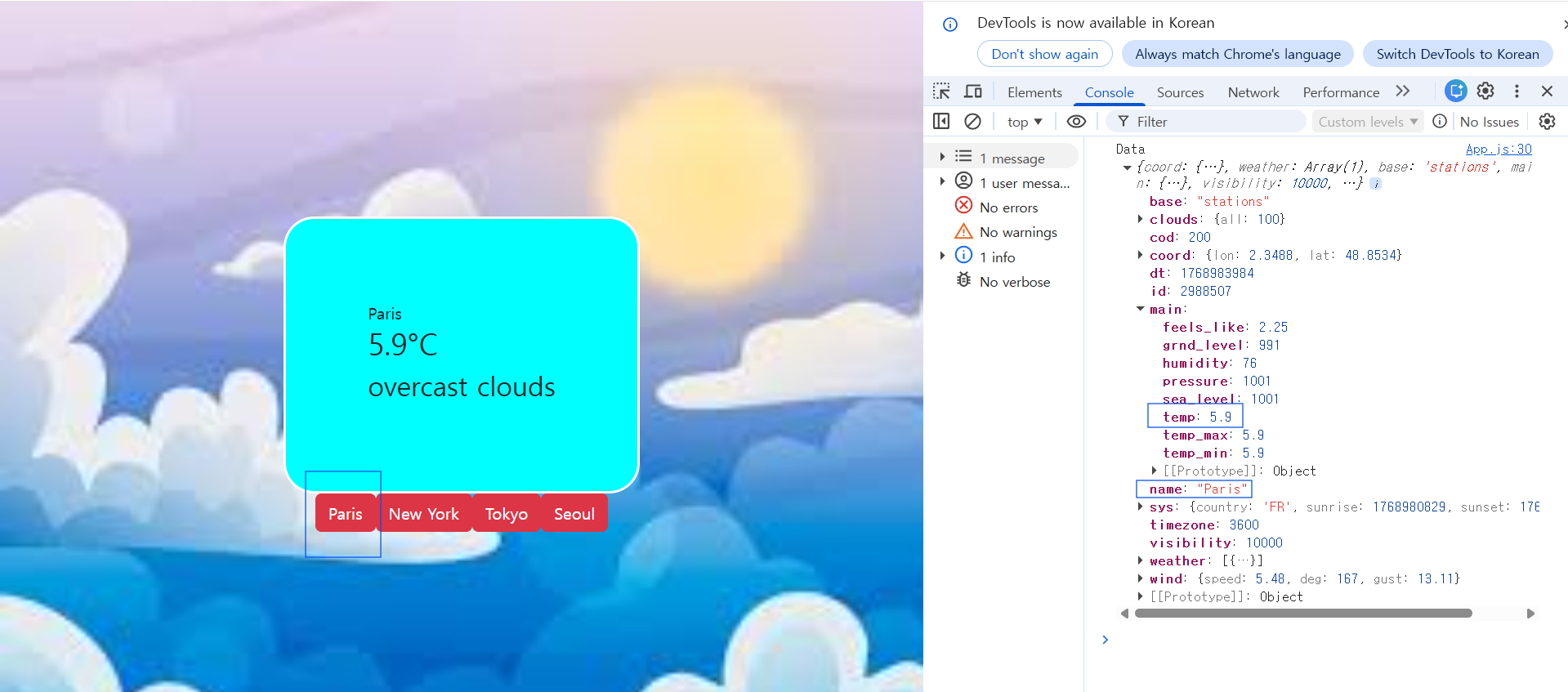
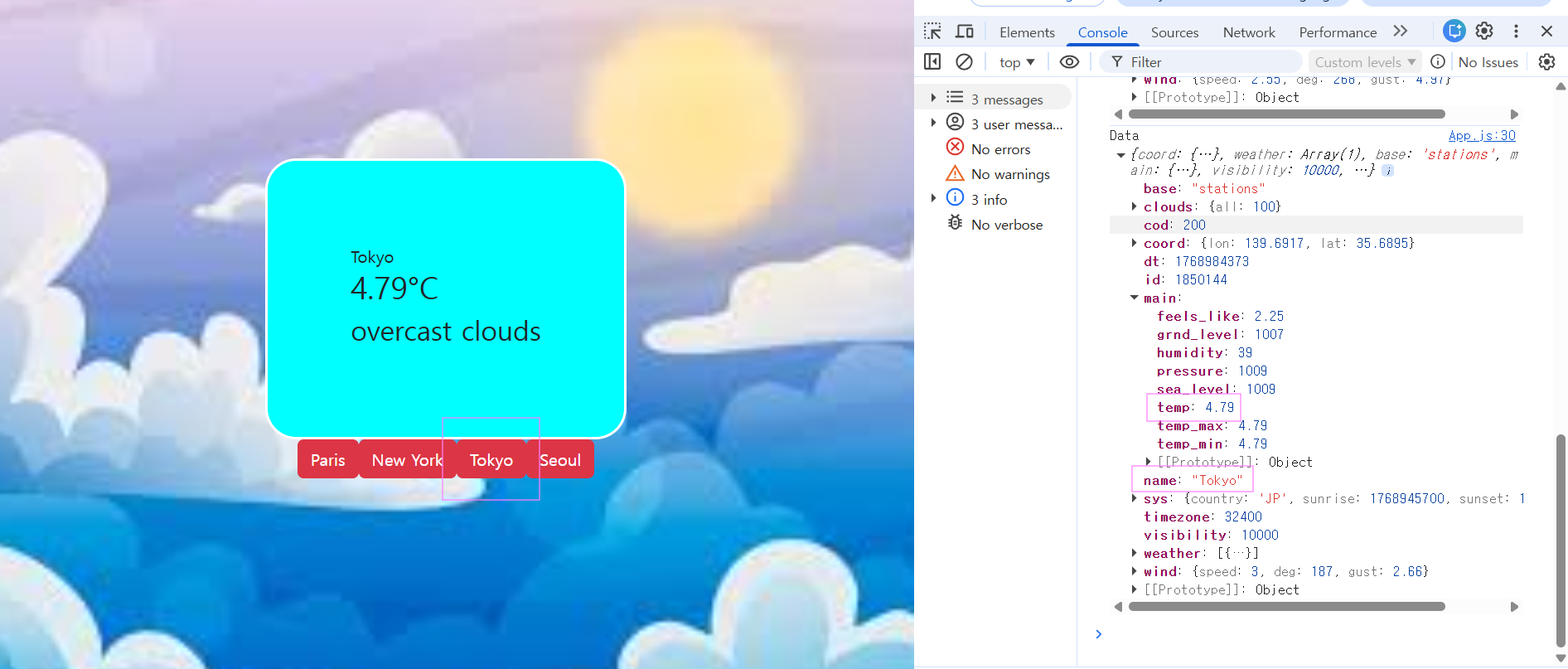
<실행 결과>


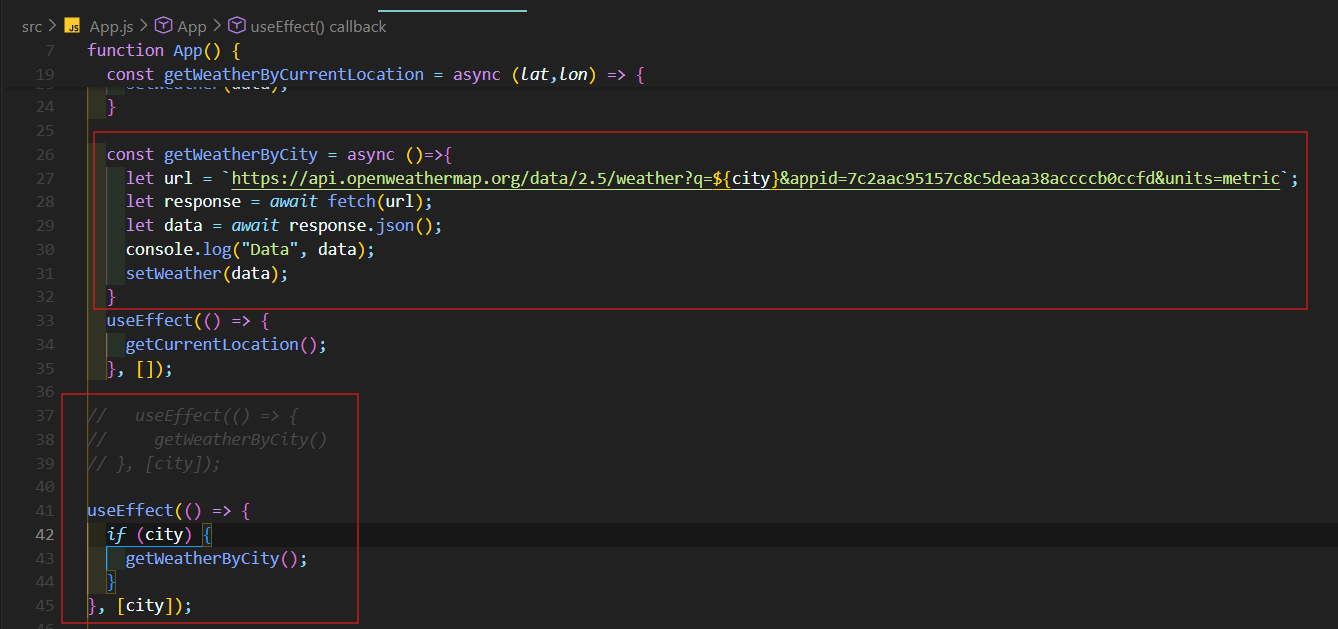
useEffect(() => {
  if (city == "") {
    getCurrentLocation();
  } else {
    getWeatherByCity();
  }
}, [city]);
getCurrentLocation()만 실행되어야 하고 getWeatherByCity()는 실행되면 안된다!
따라서 if-else문 사용했다.
[최종 코드]
App.js
import { useEffect, useState } from 'react';
import './App.css';
import 'bootstrap/dist/css/bootstrap.min.css';
import WeatherBox from './component/WeatherBox.js';
import WeatherButton from './component/WeatherButton.js';

function App() {
  const [weather,setWeather]=useState(null);
  const [city,setCity]=useState("");
  const cities=['Paris','New York','Tokyo','Seoul']
  const getCurrentLocation = () => {
    navigator.geolocation.getCurrentPosition((position) => {
      let lat = position.coords.latitude;
      let lon = position.coords.longitude;
      getWeatherByCurrentLocation(lat,lon);
    });;
  };

  const getWeatherByCurrentLocation = async (lat,lon) => {
    let url = `https://api.openweathermap.org/data/2.5/weather?lat=${lat}&lon=${lon}&appid=7c2aac95157c8c5deaa38accccb0ccfd&units=metric`;
    let response = await fetch(url);
    let data = await response.json();
    setWeather(data);
  }

  const getWeatherByCity = async ()=>{
    let url = `https://api.openweathermap.org/data/2.5/weather?q=${city}&appid=7c2aac95157c8c5deaa38accccb0ccfd&units=metric`;
    let response = await fetch(url);
    let data = await response.json();
    console.log("Data", data);
    setWeather(data);
  }
  useEffect(() => {
    getCurrentLocation();
  }, []);

useEffect(() => {
  if (city == "") {
    getCurrentLocation();
  } else {
    getWeatherByCity();
  }
}, [city]);

  return (
    <div>
      <div className="container">
      <WeatherBox weather={weather}/>
      <WeatherButton cities={cities} setCity={setCity}/>
      </div>
    </div>
  );
}

export default App;
WeatherBox.js
import React from 'react'

const WeatherBox = ({ weather }) => {
  if (!weather || weather.cod !== 200) {
    return <div>날씨 정보를 불러오는 중입니다...</div>;
  }

  return (
    <div className="weather-box">
      <div>{weather.name}</div>
      <h2>{weather.main.temp}°C</h2>
      <h3>{weather.weather[0].description}</h3>
    </div>
  );
};

export default WeatherBox;
WeatherButton.js
import React from 'react'
import { Button } from 'react-bootstrap'

const WeatherButton = ({ cities, setCity }) => {
return (
    <div>
    {cities.map((item, index) => (
        <Button
        variant="danger"
        key={index}
        onClick={() => setCity(item)}>
        {item}
        </Button>
    ))}
    </div>
)
}

export default WeatherButton'프론트엔드 (Front-end) > React 프로젝트' 카테고리의 다른 글
| 2. 날씨앱 만들기 (16) (0) | 2026.01.22 |
|---|---|
| 2. 날씨앱 만들기 (15) (0) | 2026.01.21 |
| 2. 날씨앱 만들기 (13) (0) | 2026.01.21 |
| 2. 날씨앱 만들기 (12) (0) | 2026.01.21 |
| 2. 날씨앱 만들기 (11) (0) | 2026.01.20 |