
프로그래머가 되는 꿈
2. 날씨앱 만들기 (13) 본문
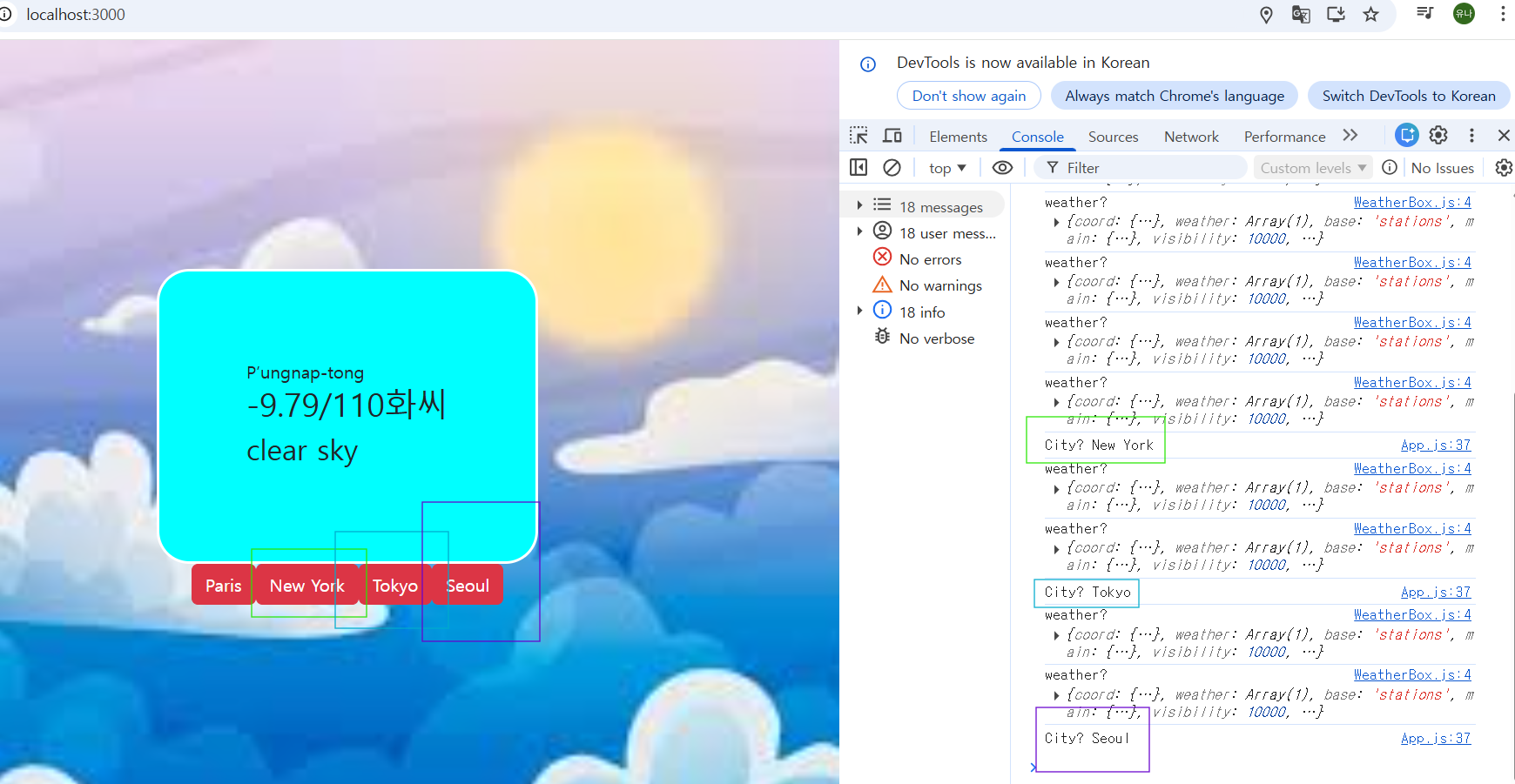
<도시 버튼을 누르면 도시에 맞춰서 날씨정보가 나오는 것>
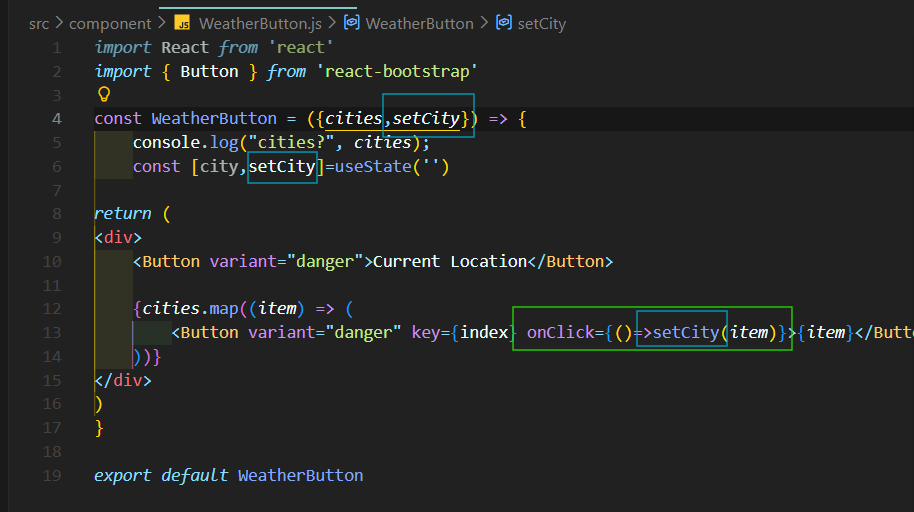
onClick ~ : 내가 어떤 city를 선택했는지 state에 설정해준다.
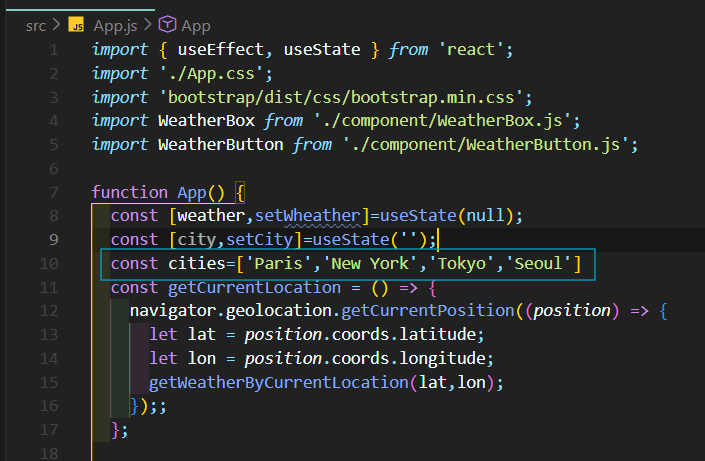
App에 있는 city가 바뀌는 것!
즉, <WeatherButton>은 어떠한 state도 가지고 있지 않다. 아무것도 가지고 있지 않는다. 그냥 App이 주는 것만 쓸것임...
여기서...
city값이 바뀐것을 App에서 확인할 수 있을까?
지금 <WeatherButton>에서 setCity를 했는데...
이게 제대로 써진거며, <App>에 있는 city state 값을 바꾼건지 , 즉 값이 바뀌었는지 확인을 해볼까?

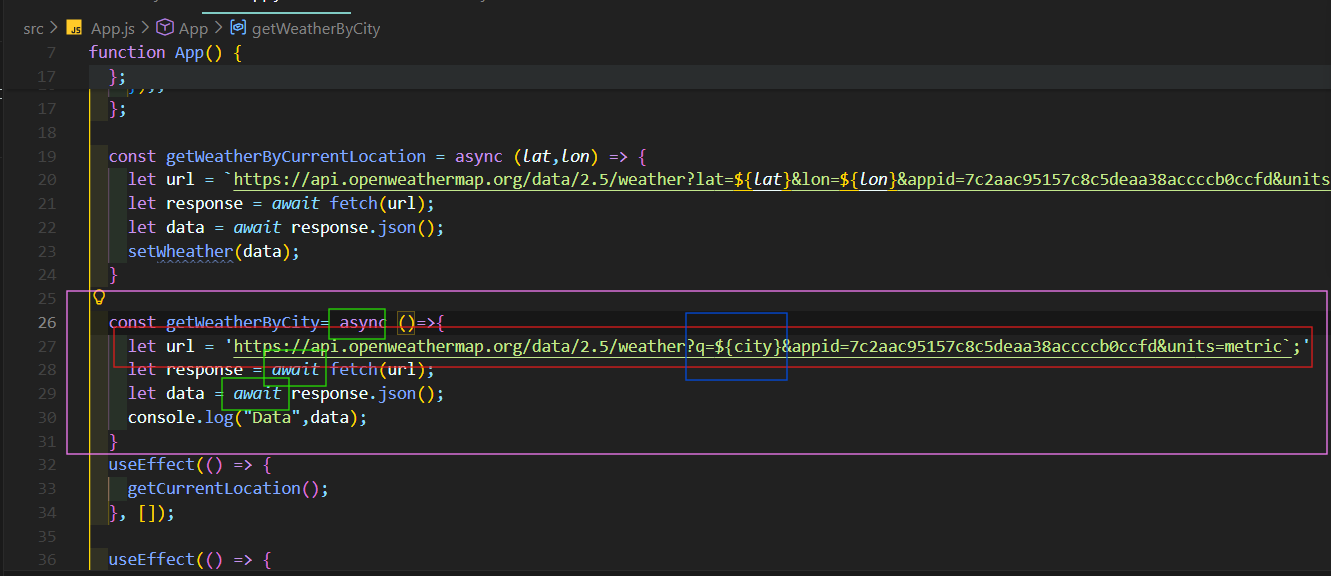
useEffect()를 하나 더 추가해준다!
useEffect(): 컴포넌트의 업데이트를 담당
city state를 주시하고 있다가 city가 바뀌면 useEffect 함수가 호출된다.
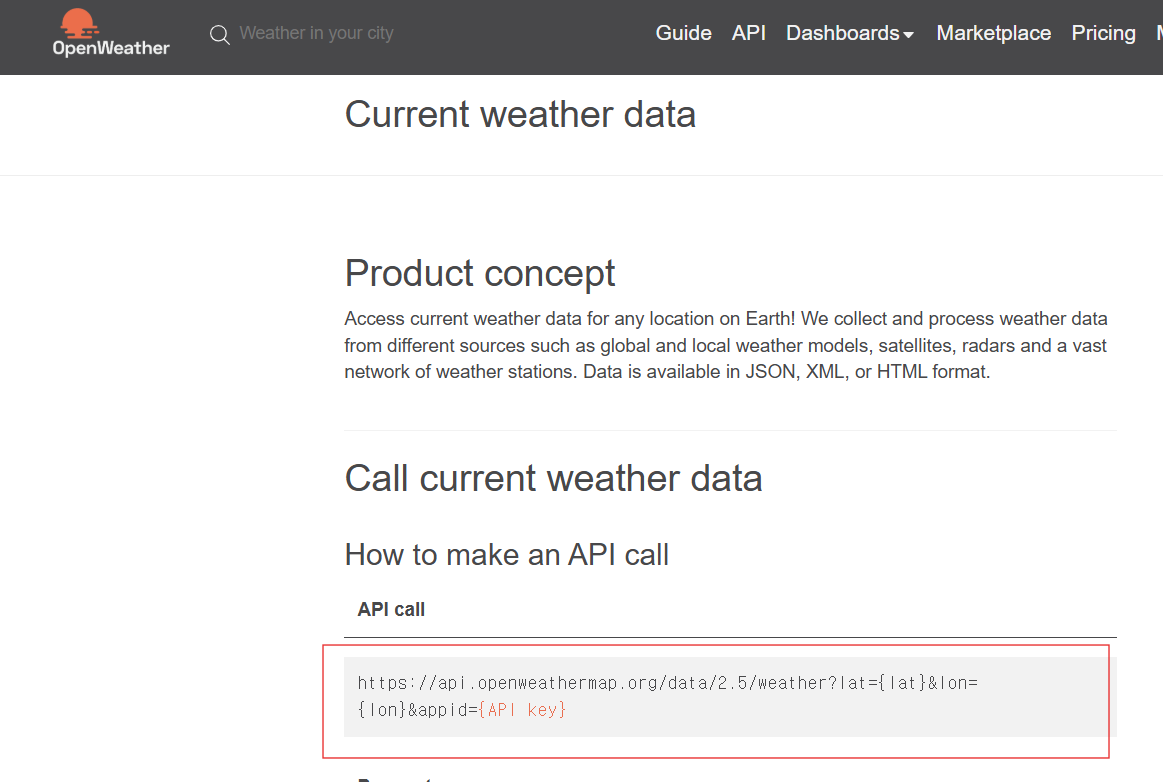
+++
(App.js일부)
  const getWeatherByCity= async ()=>{
    let url = `https://api.openweathermap.org/data/2.5/weather?q=${city}&appid=7c2aac95157c8c5deaa38accccb0ccfd&units=metric`;
    let response = await fetch(url);
    let data = await response.json();
    console.log("Data",data);
  }
  useEffect(() => {
    getCurrentLocation();
  }, []);

  useEffect(() => {
    getWeatherByCity()
  },[city])
++++
import {React,useState} from 'react'
import { Button } from 'react-bootstrap'

const WeatherButton = ({cities}) => {
    console.log("cities?", cities);
    const [city,setCity]=useState('')

return (
<div>
    <Button variant="danger">Current Location</Button>

    {cities.map((item,index) => (
        <Button variant="danger" key={index} onClick={()=>setCity(item)}>{item}</Button>
    ))}
</div>
)
}

export default WeatherButton

--코알누--
import React from 'react'
import { Button } from 'react-bootstrap'
const WeatherButton = ({ cities, setCity }) => {
return (
<div>
{cities.map((item, index) => (
<Button
variant="danger"
key={index}
onClick={() => setCity(item)}
>
{item}
</Button>
))}
</div>
)
}
export default WeatherButton
--GPT--
'프론트엔드 (Front-end) > React 프로젝트' 카테고리의 다른 글
| 2. 날씨앱 만들기 (15) (0) | 2026.01.21 |
|---|---|
| 2. 날씨앱 만들기 (14) (0) | 2026.01.21 |
| 2. 날씨앱 만들기 (12) (0) | 2026.01.21 |
| 2. 날씨앱 만들기 (11) (0) | 2026.01.20 |
| 2. 날씨앱 만들기 (10) (1) | 2026.01.20 |