프로그래머가 되는 꿈
4. 쇼핑몰 웹사이트 만들기 (25) 본문
배포하기(2)
1. 깃허브에 repository를 만들어라 (깃허브의 repository에 소스코드 올리기)
https://github.com/smartpoint02?tab=repositories
smartpoint02 - Overview
smartpoint02 has 6 repositories available. Follow their code on GitHub.
github.com


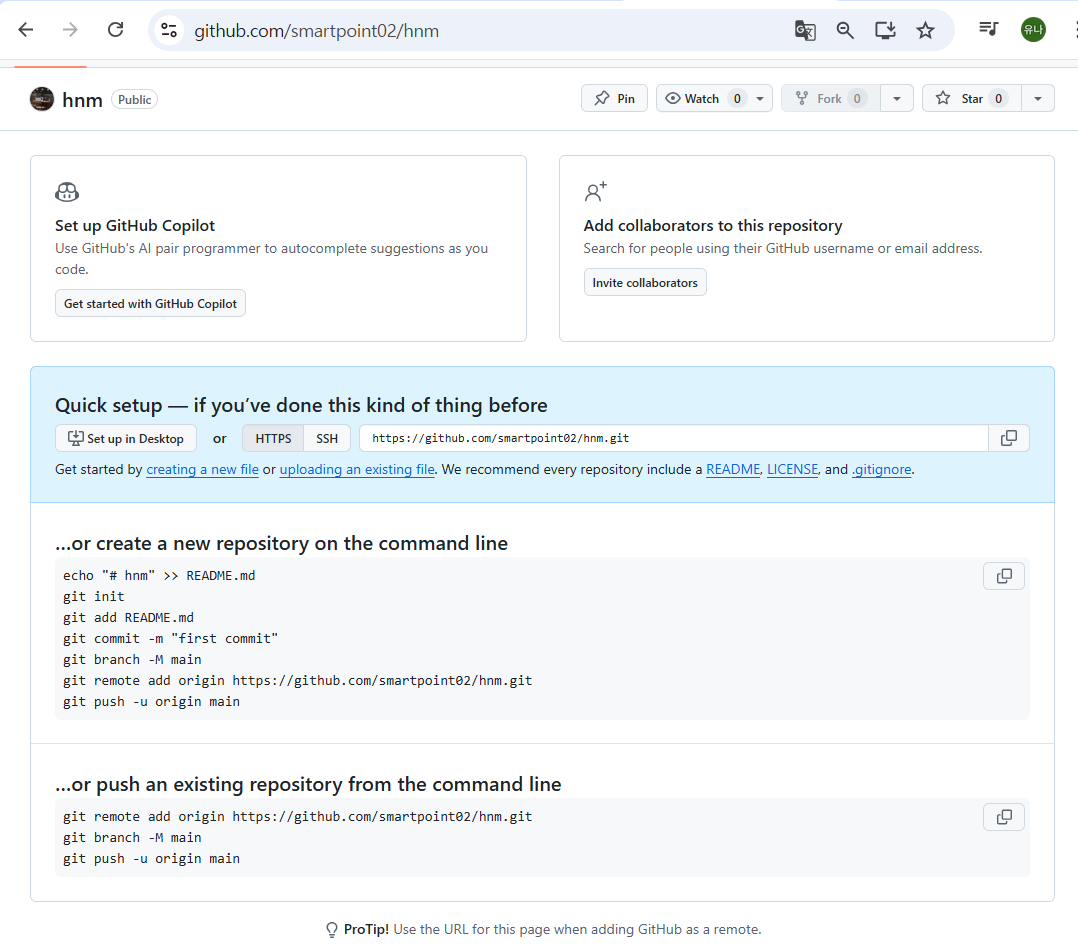
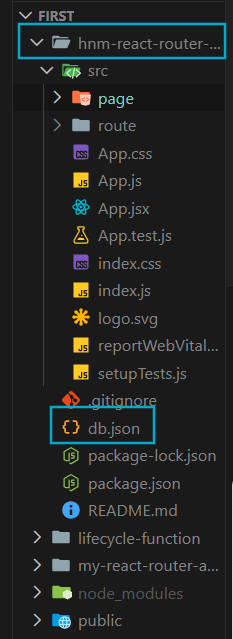
2. db.json이라는 파일 만들기
이미 존재한다!
3. url 링크 바꾸기
https://my-json-servet.typicode.com/깃허브 유저 이름/깃허브 리파지토리 이름
<원본 ProductAll.js>
let url = `http://localhost:5000/products?q=${searchQuery}`;
<수정본-ProductAll.js>
let url = `http://my-json-server.typicode.com/smartpoint02/hnm/products?q=${searchQuery}`;
<원본 ProductDetail.js>
let url = `http://localhost:5000/products/${id}`;
<수정본-ProductDetail.js>
let url = `http://my-json-server.typicode.com/smartpoint02/hnm/products/${id}`;
그러면 my-json-server가 알아서 깃허브 repository(hnm)에 와서 repository(hnm)안에 있는 db.json파일을 읽어서 나에게 데이터를 반환해준다. 그게 http://my-json-server.typicode.com이 웹사이트가 하는 일!
일단 프로젝트를 깃허브에 올려보자.
올려줘야 db.json을 읽어올거 아니야
PS C:\Users\LISA\Desktop\React2002\react01\first> cd hnm-react-router-practice
PS C:\Users\LISA\Desktop\React2002\react01\first\hnm-react-router-practice> git init
PS C:\Users\LISA\Desktop\React2002\react01\first\hnm-react-router-practice> git add .
*
.gitignore 파일 : 깃허브에 올리고 싶지 않은 파일, 폴더들을 명시
(.gitignore 파일에는 이미 무시해야 하는 것들이 올라가 있다!)
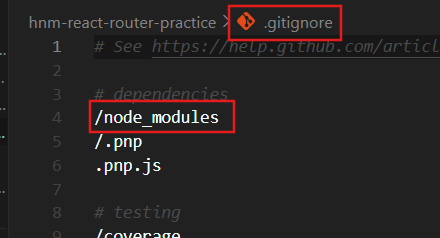
.gitignore 파일에 node_modules 가 잘 올라가 있는지 꼭 확인하기!!
*
PS C:\Users\LISA\Desktop\React2002\react01\first\hnm-react-router-practice> git commit -m "first-commit"

<깃허브와 내 프로젝트의 연결고리>
PS C:\Users\LISA\Desktop\React2002\react01\first\hnm-react-router-practice> git remote add origin https://github.com/smartpoint02/hnm.git
연결고리가 있으면 그걸 보내야한다.
PS C:\Users\LISA\Desktop\React2002\react01\first\hnm-react-router-practice> git push origin master
(지금까지)이렇게 하면...
프로젝트가 깃허브로 전송이 되었다~~~
<결과>
위의 화면에서 새로고침 해보면... 다음과 같은 화면이 나온다.
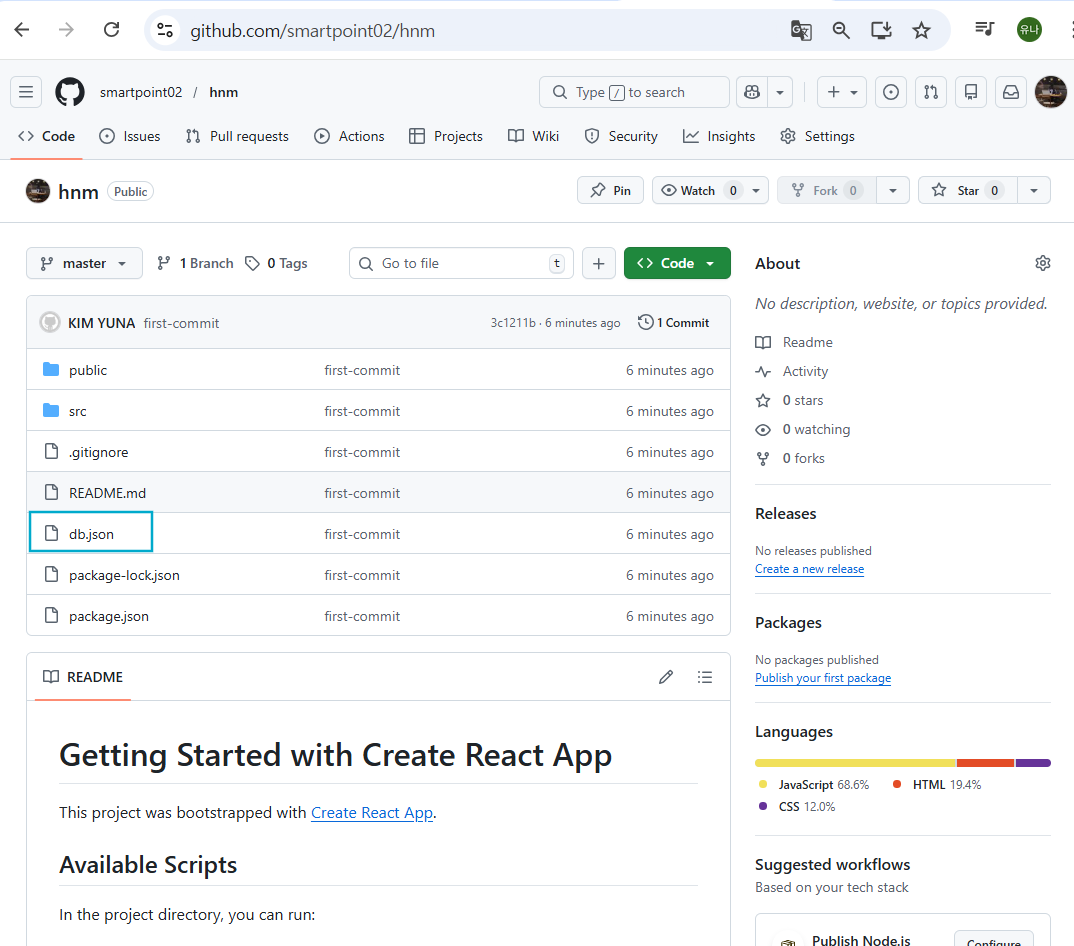
db.json이 있는지 꼭 확인하기!!
(이게 있어야 my-json이라는 서버에서 json파일을 읽어오는 것이기 때문!)
'프론트엔드 (Front-end) > React 프로젝트' 카테고리의 다른 글
| 4. 쇼핑몰 웹사이트 만들기 (26) - Netlify 설정 (0) | 2026.01.31 |
|---|---|
| 4. 쇼핑몰 웹사이트 만들기 (24) (1) | 2026.01.30 |
| 4. 쇼핑몰 웹사이트 만들기 (23) (0) | 2026.01.30 |
| 4. 쇼핑몰 웹사이트 만들기 - "환경설정" (0) | 2026.01.30 |
| 4 . 쇼핑몰 웹사이트 만들기 (22) (0) | 2026.01.30 |
